Frequently Asked Questions
Answers to the most common questions about FoodJinn. Didn't find yours? Write to us at master@food-jinn.com or use Settings › Send feedback in the app.
Getting started
What is FoodJinn?
FoodJinn is an AI calorie counter that reads your plate from a photo. Snap your meal and, in a few seconds, you get its calories, protein, fat and carbs, a Nutri-Score from A to E, the list of detected ingredients, and an estimate of its carbon footprint (CO2e). No barcode to scan and nothing to type.

On which phones does FoodJinn work?
FoodJinn is available for Android on Google Play. An iPhone version is not available yet.
In which languages is the app available?
English, French, German, Spanish, Italian, Polish and Portuguese. FoodJinn follows your phone's language; you can change it at any time in Settings › Language.
Do I need an account?
Yes. You sign up with your email address and a password, then confirm your email. Your account keeps your meals, photos and medals private and safe, and lets you find them again if you change phones.
I forgot my password. What do I do?
On the sign-in screen, tap Forgot your password? (next to the password field) and enter your email address. You'll receive a link to choose a new password. If the link has expired or was already used, simply request a new one. Once signed in, you can also change your password in Settings › Change password.
Analysing a meal
How do I analyse a meal?
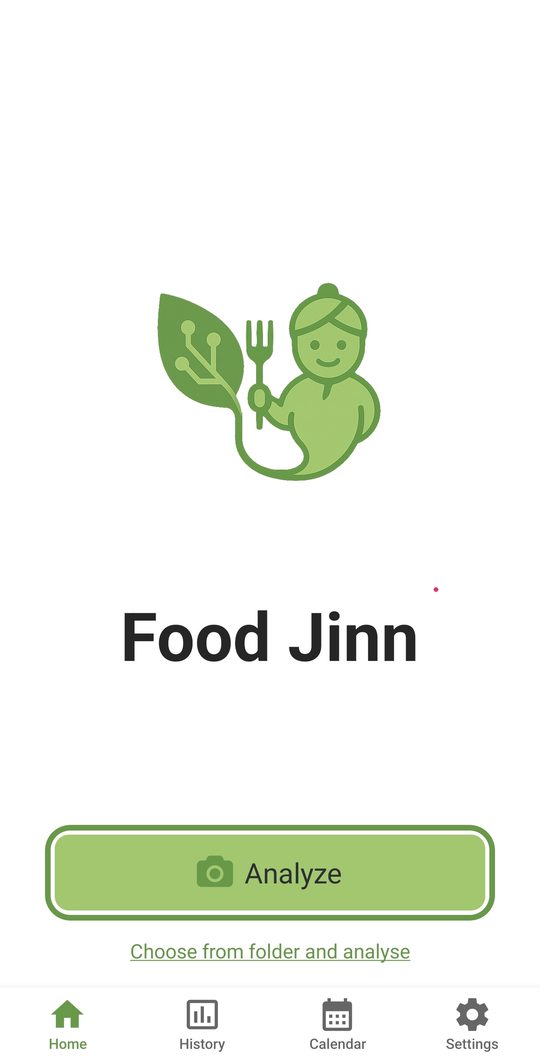
On the Home tab, tap Analyze to take a photo with your camera, or Choose from folder and analyse to pick a photo from your gallery. A little animated jinn keeps you company while your meal is analysed, and the results appear automatically after a few seconds.
What information do I get?
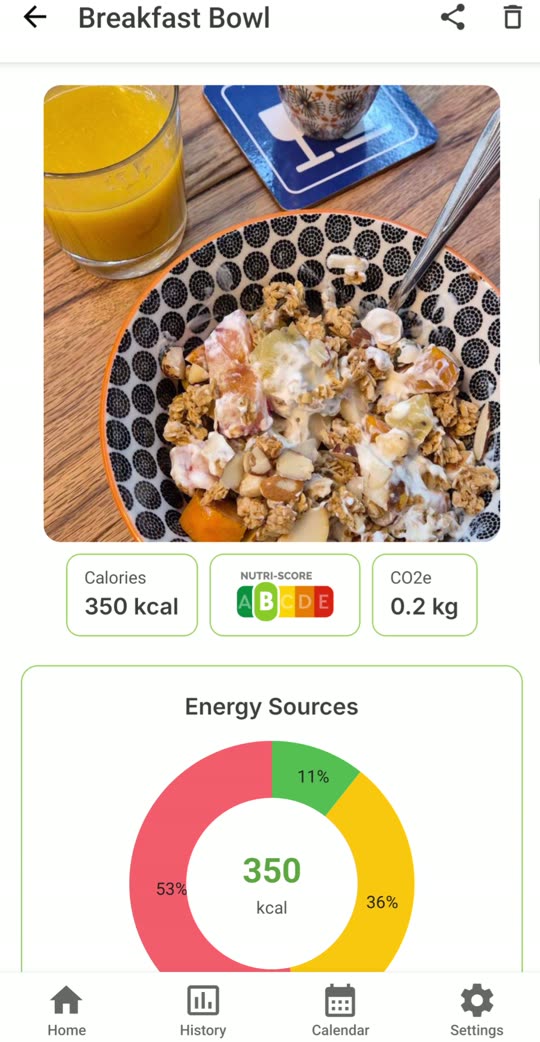
For every meal:
- Calories (kcal)
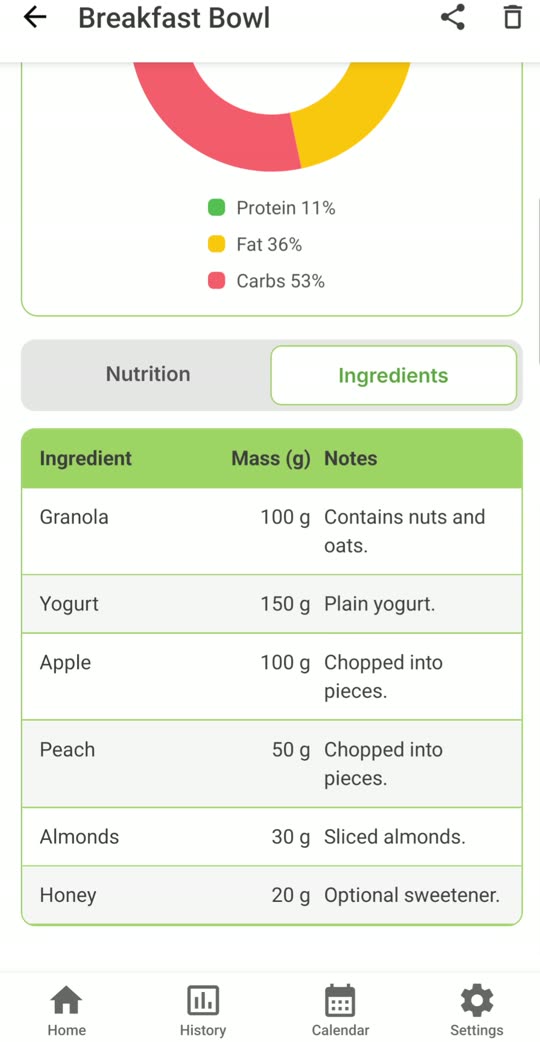
- Energy sources: the share of protein, fat and carbs in a chart
- Nutrition details: protein, fat, carbs, sugars, fibre, saturated fat, salt and serving size
- Nutri-Score from A to E
- CO2e: the estimated greenhouse gas emissions of the meal, in kilograms
- Ingredients: each detected ingredient with its estimated weight and a short note
How accurate are the results?
The values are estimates made by artificial intelligence from a single photo. They are a good guide for everyday choices, but they are not exact measurements: the AI can't weigh your food, see hidden ingredients such as oil or butter in a sauce, or know the exact recipe. Use them as an indication, not as medical or dietary advice.
How do I get the best results?
- Photograph the whole plate, from above or at a slight angle.
- Use good light and avoid blurry photos.
- Keep the background simple, with only the meal you want to analyse.
- Make sure the food is clearly visible (not hidden under a lid or wrapping).
The app says my photo "doesn't look like food". Why?
FoodJinn checks that there is a meal in the picture before analysing it. If the photo is too dark, blurry or shows something other than food, try again with a sharper, well-lit photo of your plate. Photos that aren't recognised as food don't count for medals.
Do I need an internet connection?
Yes. Your photo is sent to our servers to be analysed, so you need a mobile data or Wi-Fi connection. If the photo can't be sent, the app tells you and you can simply try again.
Understanding the results
What is the Nutri-Score?
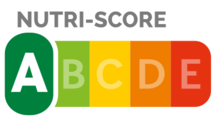
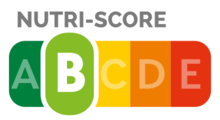
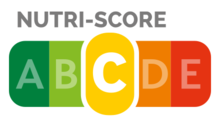
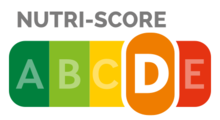
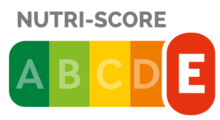
The Nutri-Score is a nutrition label used in several European countries. It grades food from A (most favourable) to E (least favourable) by weighing the nutrients to limit (energy, sugars, saturated fat, salt) against the beneficial ones (fibre, protein, fruit and vegetables). FoodJinn estimates a Nutri-Score for your whole meal.
What does CO2e mean?
CO2e (carbon dioxide equivalent) estimates the greenhouse gas emissions caused by producing your meal's ingredients, expressed in kilograms. The lower the value, the smaller the climate impact. As a rule of thumb, plant-based dishes usually score much lower than meals with red meat or a lot of dairy. FoodJinn treats a meal of 0.5 kg CO2e or less as a low-CO2 meal.
What is the "Energy sources" chart?
It shows where your meal's calories come from: protein, fat and carbohydrates. A balanced plate gets roughly 10–35 % of its energy from protein, 20–35 % from fat and 45–65 % from carbs.
Tracking your meals
Where can I find my past meals?
The History tab lists every meal you've analysed. Search by dish or ingredient, and filter by date, Nutri-Score or calories. Tap a meal to reopen its full analysis.
Is there a calendar view?
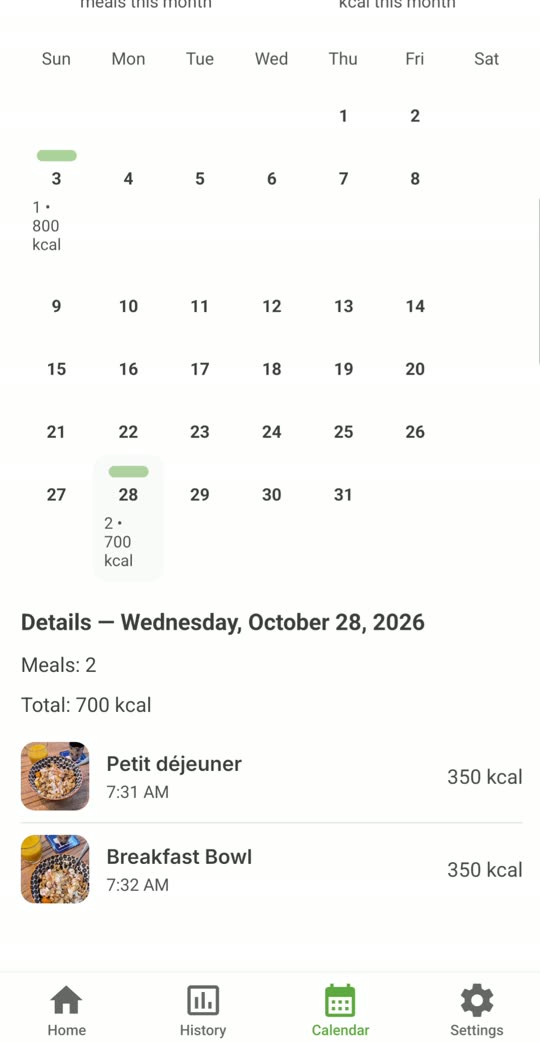
Yes. In the History tab, switch from List to Calendar to see how many meals and calories you logged each day. Tap a day to see its meals and total, then tap a meal to open it.
What does the Stats tab show?
The Stats tab sums up the last 7 or 30 days: average calories per logged day, number of meals analysed, total CO2e, and a daily calories chart compared with your target. Tap a bar to see that day's total.
How is my daily calorie target set?
When you start, FoodJinn asks five quick questions (weight, age, activity, goal and sex) to estimate how many calories you need per day. You can change the target at any time in Settings › Daily calorie target (kcal), or tap the calculator button next to it to answer the questions again. This is an estimate for adults, not medical advice: if you are pregnant, have a health condition or follow a medical diet, ask a professional.
How do I delete a meal?
Open the meal from History or the calendar and tap the trash icon in the top-right corner. The meal and its photo are permanently deleted.
Can I share a meal with friends?
Yes. Open an analysed meal, tap the share icon in the top-right corner, and choose to send either the meal photo or its nutrition and climate summary through your favourite apps.
Medals
What are medals?
Medals reward your healthy and climate-friendly habits. There are more than 25 to collect, for example:
- First meal scanned, then 10, 20, 50, 100 scans and FoodJinn Legend at 500
- Streaks: analyse at least one meal 3, 5, 7, 10 or 30 days in a row
- A grade meal, Perfect Week (an A-grade meal every day for 7 days)
- Low CO2 meal and Planet Protector (10 low-CO2 meals)
- Balanced plate, On-target day (a day within 10 % of your calorie target)
- Fun ones like Rainbow Eater (fruit and vegetables of 5 colours in one meal), Early Bird, Night Owl, Weekend Warrior and Pumpkin plate
Many medals can be earned again and again: the Medals tab shows how many times you've won each one and your progress towards the next.

Subscription
How much does FoodJinn cost?
FoodJinn is a subscription app with a monthly or a yearly plan. Both start with a 3-day free trial, so you can test every feature before paying. Current prices for your country are shown in the app and on Google Play.
How do I cancel my subscription?
Subscriptions are managed by Google Play. Open the Google Play Store, tap your profile picture › Payments & subscriptions › Subscriptions, choose FoodJinn and tap Cancel subscription. If you cancel during the free trial, you won't be charged.
I deleted my account. Is my subscription cancelled too?
No. Deleting your FoodJinn account does not cancel a Google Play subscription. Please cancel it in Google Play as described above.
I changed phones. How do I get my subscription back?
Install FoodJinn on your new phone with the same Google account and sign in with your FoodJinn account. Your meals are saved in your account and your subscription is linked to your Google Play account.
Privacy and your data
Is my data private?
Yes. Your photos and analyses are stored privately in your account and are only used to provide the service. Our data is hosted by Supabase on servers in Zurich, Switzerland. Read the full Privacy Policy.
How do I delete all my data?
In Settings › Danger zone, tap Delete all my data. All your meals, photos, medals and feedback are deleted, and your first name and calorie target are reset. Your account stays open. This can't be undone.
How do I delete my account?
In Settings › Danger zone, tap Delete my account. Your account and everything in it (meals, photos, medals, settings) are permanently deleted and you are signed out. You can also ask us by email: see Delete your account.
Settings and help
Can I use FoodJinn in dark mode?
Yes. In Settings › Appearance, choose System, Light or Dark.
Can I change the name the app greets me with?
Yes. In Settings, edit your first name, or switch off Show greeting on home screen. If you leave the name empty, the jinn will simply call you Master.
How can I see the tutorial again?
Go to Settings and tap Show tutorial.
How do I report a bug or suggest an idea?
In Settings, tap Send feedback, choose Bug, Idea or Other and write your message. We read every one. You can also email us at master@food-jinn.com.
Who makes FoodJinn?
FoodJinn is created and maintained by Bianco's Labs, a one-person studio in Morges, Switzerland, exploring the intersection of food, sustainability and AI.
FoodJinn's values are AI estimates, intended as a guide and not as medical advice.